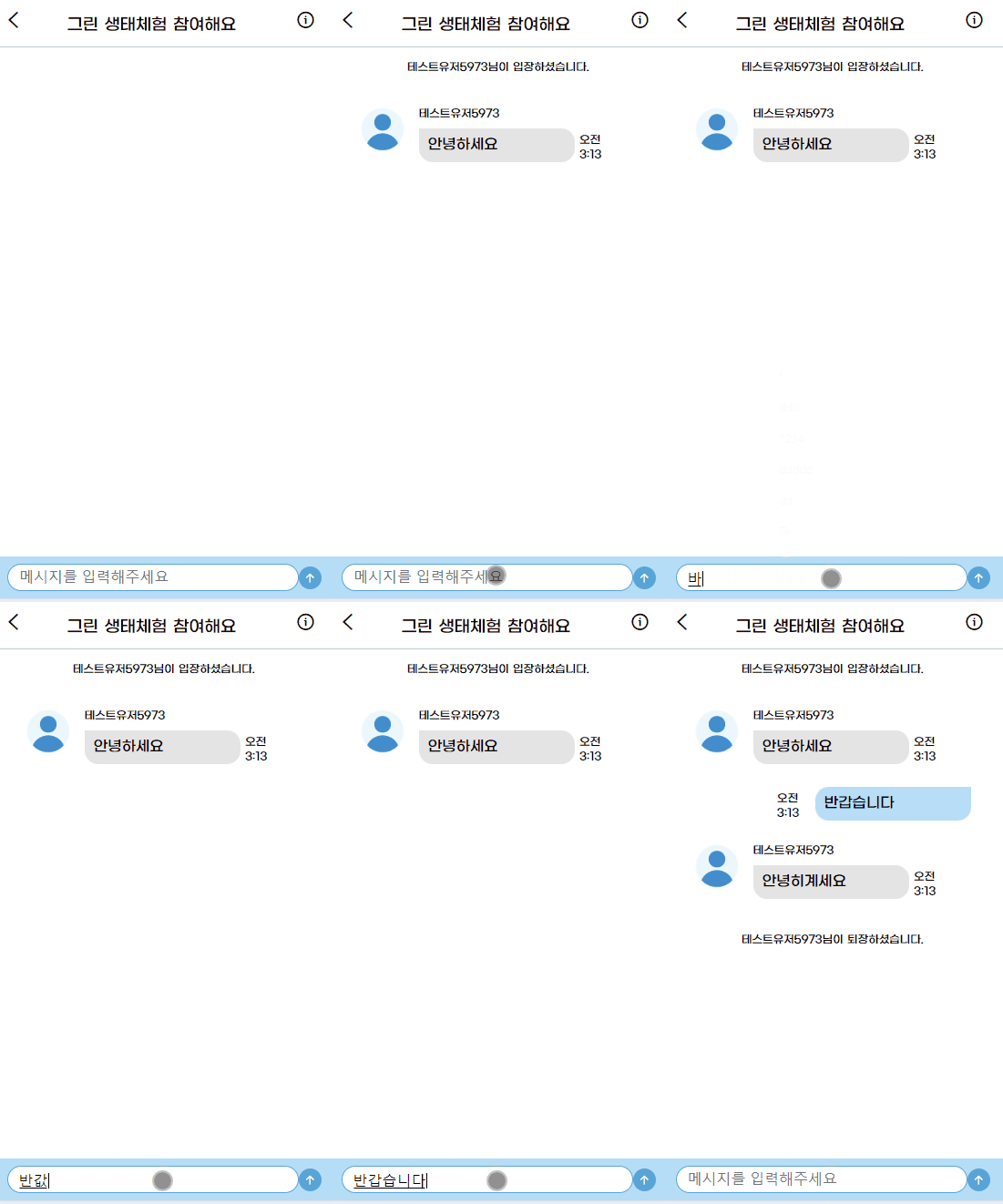
이번에 부트캠프에서 하는 프로젝트에서 채팅 기능을 맡았다.
프론트엔드는 리액트, 백엔드는 스프링부트를 사용했기 때문에
이전에 배웠던 socket.io 가 아니라 stomp 를 사용했다.
Stomp 는 Simple Text Oriented Messaging Protocol로
웹소켓을 기반으로 하는 메시지 전송 프로토콜이다.
챗지피티 선생님께선 socket.io 랑 stomp 의 차이를 이렇게 말씀하셨다.
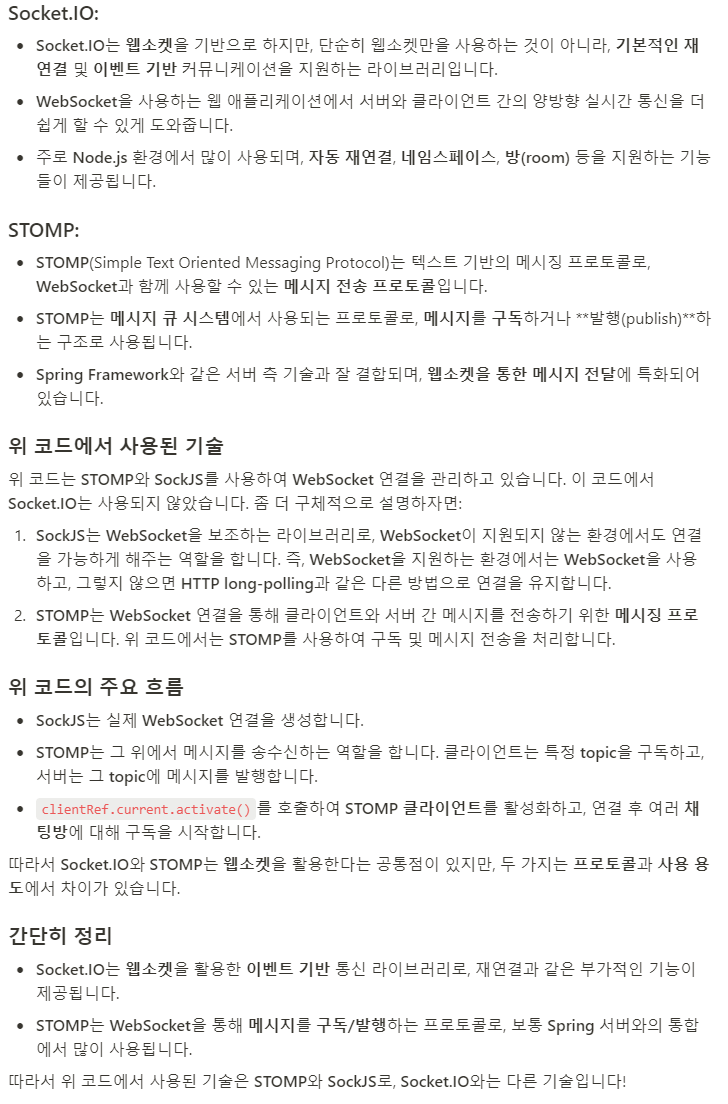
위 부분에 대해서는 웹소켓을 더 자세히 공부해야 잘 이해를 할 것 같다.
어쨋든 요약하자면
1. 서버가 스프링부트임
2. 스프링부트에서는 웹소켓을 사용할 때 stomp 를 많이 사용한다.
3. 그래서 클라이언트에서도 그것에 맞춰서 stomp 를 사용했다.
이렇게 되겠다.
리액트에서 stomp 를 이용하려면 당연히 설치부터 해야한다.
1. 설치
npm install @stomp/stompjs sockjs-client
처음엔 잘 모르고 stomp 와 sockjs-client 만 설치했었는데, 타입에러가 자꾸 떴다.
검색과 지피티 선생님의 도움을 받아보니 타입을 정의해주는 패키지를 설치하라 했다.
sockjs 를 타입스크립트에서 사용할 수 있도록 설정하려면 타입을 정의할 수 있는 패키지를 개발 의존성으로 설치해준다.
npm install --save-dev @types/sockjs-client
참고로 SockJS 는 웹소켓을 지원하지 않는 구형 브라우저나 환경에서도 실시간 양방향 통신을 가능하게 해주는
JavaScript 라이브러리다.
2. Websocket 연결 설정
프로젝트의 API 명세서에서 웹소켓 연결 엔드포인트를 아래와 같이 정의했다.

- /app: 클라이언트가 서버로 메시지를 보내는 경로
- /topic: 클라이언트가 서버에서 발행한 메시지를 구독하는 경로. 서버에서 메시지를 발행하는 경로
1) 메시지를 받는 함수와 메시지 전송 함수가 서로 다른 블록내에 있기 때문에
(서로 다른 블록에 있는 이유는 메시지를 전송하는 인풋을 다른 컴포넌트로 분리했기 때문도 있었다)
useRef 를 써서 stomp 클라이언트 객체에 대한 참조를 저장했다.
const clientRef = useRef<Client | null>(null);
2) 특정 채팅방에 입장, 즉 채팅방에 대한 컴포넌트가 마운트 되었을 때, 소켓이 열리도록
소켓에 대한 로직을 useEffect 내에 설정했다.
언마운트 되었을 때는 소켓 연결이 종료되도록 설정했다.
useEffect(() => {
    const chatTopic = `/topic/chatroom/${chatroomId}`;

    if (!chatroomId) return;

    clientRef.current = new Client({
      webSocketFactory: () => {
        const socket = new SockJS(`http://localhost:8080/ws`)
        return socket;
      }, // 소켓 연결 반환
      reconnectDelay : 5000,
      heartbeatIncoming:4000,
      heartbeatOutgoing:4000,
      debug: (str) => {
        // 디버그 메시지 출력
        console.log(str);
      },
      onConnect: () => {
        // 소켓 연결 시 호출 함수
        // 채팅방 구독
        clientRef.current?.subscribe(chatTopic, (message) => {
          // 수신 메시지 처리
          const chatMessage = JSON.parse(message.body).body.data;
          // 메시지 리덕스에 저장
          dispatch(setMessages([...messages, chatMessage]));
        });
      },
      onStompError: (frame) => {
        console.error(frame.body);
      },
      onDisconnect: () => {
        // 소켓 연결 끊겼을 때 호출
        console.log("disconnect");
      },
    });

    // 소켓 연결 시작
    clientRef.current.activate();

    // 언마운트 시 소켓 연결 종료
    return () => {
      clientRef.current?.deactivate();
    };
  }, [dispatch, chatroomId, messages]);
저기서 살펴보자면
- webSocketFactory: SockJS를 사용하여 WebSocket 연결 설정, 서버 주소는 http://localhost:8080/ws
- onConnect: 소켓 연결이 성공하면 특정 채팅방( `/topic/chatroom/${chatroomId}`)을 구독하고, 메시지를 수신하면 Redux의 setMessages 액션을 통해 메시지를 상태에 저장
- onStompError: STOMP 프로토콜에서 오류가 발생하면 호출
- onDisconnect: 연결이 끊어졌을 때 호출
- clientRef.current.activate() : STOMP 클라이언트를 활성화하여 연결 시작
- clientRef.current.deactivate() : 언마운트 시 호출하여 연결 종료
3) 메시지 전송 함수
  const sendMessage = (message: string) => {
    const senderId = Number(extractUserIdFromCookie());
    if (!chatroomId) return;
    const chatSend = `/app/${chatroomId}/chatmsg`;
    if (clientRef.current?.connected) {
      const messageObj = {
        chatroomId,
        senderId,
        chatmsgContent: message,
        createdAt: new Date().toISOString(),
        messageType : 'CHAT'
      };
      clientRef.current.publish({
        destination: chatSend,
        body: JSON.stringify(messageObj),
      });
      dispatch(setMessages([...messages, messageObj]));
    }
  };
메시지 정보에 대한 것을 객체로 만들어서 서버로 전송했다.(주로 메시지 내용)
그리고 이에 대한 UI 를 업데이트 하기 위해 Redux의 setMessages 액션을 통해 메시지를 상태에 저장했다.
물론 이 방법에 대한 오류? 버그가 있어서 나중에 저 dispatch를 하지 않는 것으로 수정했다!
그에 대한 내용은 나중에 리팩토링을 어떻게 했는지에 대한 포스팅에서 다룰 것이다.
그래서 이에 대한 초기 최종 코드는 아래와 같았다.
import { useEffect, useRef } from "react";
import { useDispatch, useSelector } from "react-redux";

import { Client } from "@stomp/stompjs";
import SockJS from "sockjs-client";

import { ChatMessageInfo } from "../../types/chat";
import { setMessages } from "../../store/chatSlice";
import { RootState } from "../../store";

import ChatContainer from "../chat/ChatContainer";
import ChatHeader from "../chat/ChatHeader";
import ChatInput from "../chat/ChatInput";


// 채팅방 페이지 컴포넌트
export default function SelectedChatRoom() {
  const dispatch = useDispatch();
  const { chatroom, messages } = useSelector((state: RootState) => state.chat);

  const clientRef = useRef<Client | null>(null);

  const chatroomId = chatroom?.chatroomId;

  useEffect(() => {
    const chatTopic = `/topic/chatroom/${chatroomId}`;

    if (!chatroomId) return;

    clientRef.current = new Client({
      webSocketFactory: () => {
        const socket = new SockJS(`http://localhost:8080/ws`)
        return socket;
      }, // 소켓 연결 반환
      reconnectDelay : 5000,
      heartbeatIncoming:4000,
      heartbeatOutgoing:4000,
      debug: (str) => {
        // 디버그 메시지 출력
        console.log(str);
      },
      onConnect: () => {
        // 소켓 연결 시 호출 함수
        // 채팅방 구독
        clientRef.current?.subscribe(chatTopic, (message) => {
          // 수신 메시지 처리
          const chatMessage = JSON.parse(message.body).body.data;
          // 메시지 리덕스에 저장
          dispatch(setMessages([...messages, chatMessage]));
        });
      },
      onStompError: (frame) => {
        console.error(frame.body);
      },
      onDisconnect: () => {
        // 소켓 연결 끊겼을 때 호출
        console.log("disconnect");
      },
    });

    // 소켓 연결 시작
    clientRef.current.activate();

    // 언마운트 시 소켓 연결 종료
    return () => {
      clientRef.current?.deactivate();
    };
  }, [dispatch, chatroomId, messages]);


  // 메세지 전송 함수
  const sendMessage = (message: string) => {
    const senderId = Number(extractUserIdFromCookie());
    if (!chatroomId) return;
    const chatSend = `/app/${chatroomId}/chatmsg`;
    if (clientRef.current?.connected) {
      const messageObj = {
        chatroomId,
        senderId,
        chatmsgContent: message,
        createdAt: new Date().toISOString(),
        messageType : 'CHAT'
      };
      clientRef.current.publish({
        destination: chatSend,
        body: JSON.stringify(messageObj),
      });
      dispatch(setMessages([...messages, messageObj]));
    }
  };

  return (
    <section className="chatroom">
      <ChatHeader />
      {chatroomId ? (
        <>
          <ChatContainer chatroomId={chatroomId} />
          <ChatInput onSendMessage={sendMessage} />
        </>
      ) : null}
    </section>
  );
}
물론 지금은 여기서 고쳐서 형태가 달라졌지만 초기에는 위와 같이 구현했다.
코드는 지피티 선생님과 공식문서를 참고했다.
초기에는 특정 채팅방에 입장했을 때, 그 채팅방에 대한 소켓이 열려서 실시간 채팅을 할 수 있게 구현했다.
여기서 어떤 문제가 발생해서 코드를 어떻게 고쳤는지와
후에 리팩토링을 어떻게 진행했는지에 대해서는 다음 포스팅에서 다루겠다.
Reference
StompJs Family
Javascript/Typescript client for STOMP protocol. Specialized versions for RxJS/Angular.
stomp-js.github.io
Stomp.js 를 이용한 WebSocket 연동
Check It 프로젝트에서 관리자와의 채팅기능을 구현하기위해 websocket 통신을 사용하였다.
medium.com
'Project > SeSAC 3차 팀 프로젝트' 카테고리의 다른 글
| 웹 개발자 부트캠프 과정 3차 팀 프로젝트 회고 #2 (0) | 2024.11.17 |
|---|---|
| 3차 팀 프로젝트 채팅 기능 트러블 슈팅 #2 (부제 : 채팅 송수신 시간이 이상해요..! ㅠ) (0) | 2024.11.14 |
| 3차 팀 프로젝트 리팩토링 #1 (채팅 페이지 UI 변경) (1) | 2024.11.10 |
| 3차 팀 프로젝트 채팅 기능 트러블 슈팅 #1 (부제: 내 채팅이 두 번 보내져요! ㅠㅠ) (0) | 2024.11.09 |
| 웹 개발자 부트캠프 과정 3차 팀 프로젝트 회고 #1 (0) | 2024.11.08 |